| Follow us | RSS Feed | Visit the website |

Announcing GeoStudio 2012

We are pleased to announce the immediate availability of GeoStudio 2012. Using GeoStudio 2012 will enhance your workflow and productivity, as well as broaden the types of engineering problems you can analyze.

Together with GeoStudio 2012 and in response to many customer requests, we are also pleased to announce a new Annual Maintenance program. Purchasing Annual Maintenance will provide you with a year of software updates, technical support, and other benefits, including any major version upgrades.

Free Upgrade limited time offer
To help us launch the Annual Maintenance program, we are making GeoStudio 2012 available for free to GeoStudio 2007 customers who purchase Maintenance before August 31, 2012.

Get all the improvements in GeoStudio 2012 today, plus receive all GeoStudio updates for the next 12 months.

Email us today to start working with GeoStudio 2012!


GeoStudio 2012 incorporates enhancements designed to improve your workflow and make your modeling more productive, including:

Improved Solvers
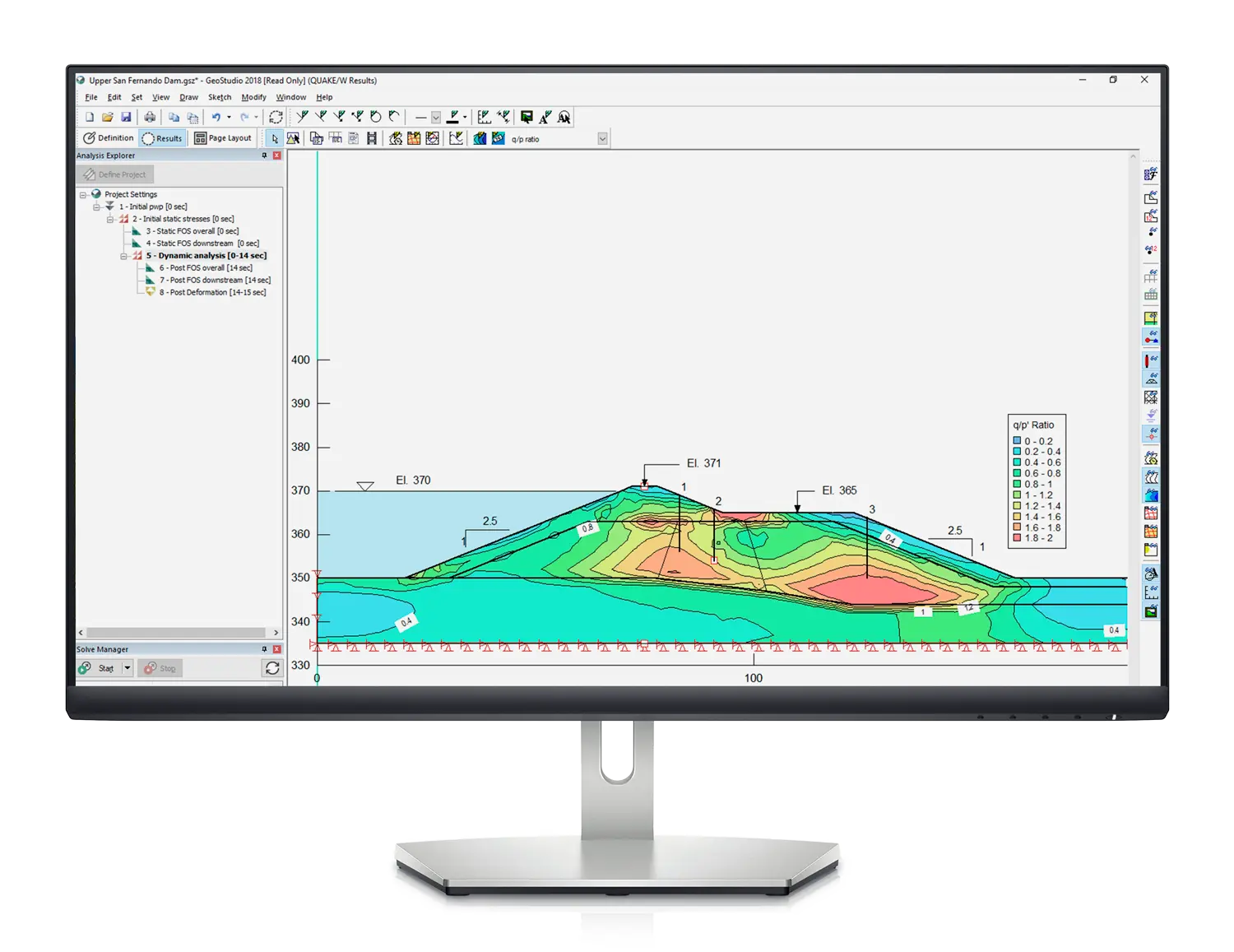
Each Solver has been directly integrated into GeoStudio via a new Solver Manager window. This lets you monitor the progress of the Solvers without leaving the GeoStudio environment.

Each analysis is verified automatically before solving, and any errors are reported immediately. While solving, you can see the solution status of each analysis, check the analyses that you wish to solve, and stop the Solver. Errors encountered by the Solver are reported in the window.

Solver speed has been improved for all products, particularly when you solve multiple analyses simultaneously. The SLOPE/W Solver has been totally revamped to taking advantage of modern multi-core processors. This results in significant speed increases, particularly for probabilistic and Newmark analyses.

Improved Convergence
The finite element convergence schemes have been improved, allowing for faster solve times and more reliable convergence that is easier to understand. Improved under-relaxation schemes allow you to obtain solutions for highly non-linear problems. The review boundary process has also been improved, frequently reducing the number of review loops required.

You can monitor the convergence history directly in Results view after each time step has completed by plotting the number of unconverged nodes for each iteration or time step.

Improved Modeling Environment
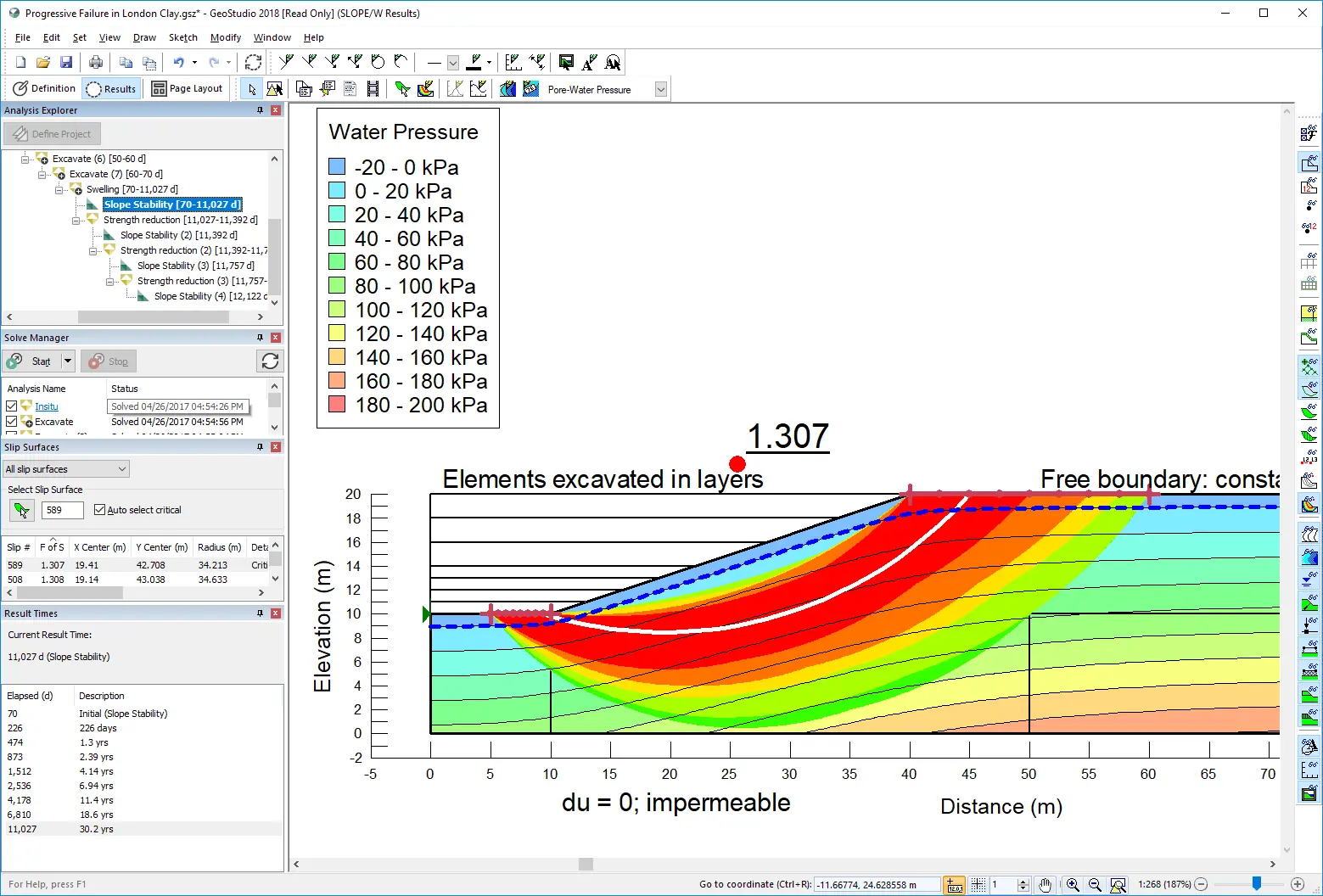
New docking windows in GeoStudio 2012 allow you to view information in multiple views so you can quickly access the data you need. You can customize the display of docking windows to suit your particular needs. A new status bar provides both view information and quick access to commands such as zooming, and a progress bar during lengthy operations such as solving.

Docking windows include an Analysis Explorer, Solve Manager, Result Times, Slip Surfaces, and Sensitivity Runs.
  • The Analysis Explorer displays a tree view of the analyses in the project, allowing you to quickly change the analysis you are viewing.
  • The Solve Manager allows you to solve one or more analyses and watch their progress even while continuing to work on another analysis.
  • The Result Times window displays a list of time steps that have computed results. When you select a time step, all currently displayed views and dialog boxes show the results computed for the selected time.
  • The Slip Surfaces window displays a list of SLOPE/W computed trial slip surfaces. When you select a slip surface, the Results view will show the complete slip surface results. If detailed results are unavailable, GeoStudio will compute them on-demand, allowing you to view detailed forces or graphs on any particular slip surface without having to designate it as a "critical" slip surface.
  • The Sensitivity Runs window displays a list of runs performed for a sensitivity analysis. Each sensitivity run is now a complete slope stability analysis, allowing you to view all computed slip surface results for each individual run.
Improved viewing of Results
Results are now automatically displayed when you start solving a GeoStudio problem. Graphing results over time can be done as soon as each time step is computed, without waiting for the Solver to finish. These graphs can also now be generated as much as 20 times faster than in previous versions, and additional SLOPE/W graphs have been added.

SLOPE/W results can now include computed finite element data. For example, you can show the critical slip surface on top of pore-water pressure contours, stress contours, or the liquefaction zone. You can also show color gradients when plotting factor of safety contours over the grid of slip surface centers.

Improved Probabilistic and Sensitivity Analyses
SLOPE/W Probabilistic analyses can now be done on every trial slip surface, resulting in an improved understanding of the overall risk of failure. Likewise, each sensitivity run can be analyzed in detail, allowing you to view all slip surface information for all sensitivity runs.

Both probabilistic and sensitivity parameters are applied separately for each analysis, allowing you to set up multiple scenarios within the same project. You can apply probability or sensitivity to any pore-water pressure option, not only piezometric lines.

Improved Licensing and Delivery
GeoStudio 2012 is now being delivered to you completely electronically, without any physical packaging. This eliminates your shipping costs, speeds up and simplifies the purchasing process, and is more eco-friendly! All GeoStudio resources, including engineering books, are digitized and available online. Full-color printed books can be ordered separately as required.

Stand-alone licenses no longer require a hardware dongle attached to your computer; you simply activate your computer to use your GeoStudio license. To use your GeoStudio license on a different computer, you can either transfer your activation to that computer.

Network licenses are now controlled using a new license server with a web-based monitoring interface. The new license server can be "re-hosted" onto new server hardware using an included activation utility.

Automate GeoStudio with GeoCmd
GeoCmd is a new command-line utility that makes it more convenient to work with large numbers of data files. You can automate GeoStudio to solve, upgrade, or generate reports for many project files sequentially.

Save Files in GeoStudio 2012 or 2007 Format
Files created in GeoStudio 2012 can be saved as GeoStudio 2007 files, allowing you to continue working with other members of your team who have not yet upgraded.

Additional Enhancements
Many other improvements have been made in GeoStudio 2012, including:
  • SLOPE/W results are now stored in standard CSV files, making it easier to import results into a spreadsheet for further analysis.
  • SLOPE/W analyses now focus on a single method, making it easier to navigate results. The GLE method is now directly incorporated into the Spencer and Morgenstern-Price methods, allowing you to display factor of safety verses lambda plots for these methods to understand convergence.
  • SLOPE/W Reinforcement properties have been changed to match industry-standard nomenclature.
  • SLOPE/W now contains a "High Strength" material model, making it easier to model impenetrable structures such as concrete retaining walls.
  • You can now specify the SLOPE/W residual water content directly; previously, it was assumed to be 10%.
  • Meshing improvements result in better element shapes, especially in complex regions.
  • GeoStudio takes less time to start; several key commands and dialog boxes also have speed improvements.
  • GeoStudio Add-Ins now support Microsoft .NET 4.0 and Visual Studio 2010.
  • Sketch lines can now be shown in color.
  • Sketch axis label coordinates are now shown as actual values, not with "x 1000" labels.
Bug Fixes
Many bug fixes have been made throughout all products to improve performance and stability.

Europe 2012 Workshop - Zurich

Photo: ©Zurich Tourism www.zuerich.com GEO-SLOPE International is pleased to announce that we are now accepting registration for the Europe Geotechnical Modelling workshop, being held 30 May - 1 June 2012 in Zurich, Switzerland.

Our annual public workshops are well attended events where GEO-SLOPE clients from around the world gather to learn, enhance and fine-tune their numerical modelling skills under the guidance of GEO-SLOPE personnel.

See the Europe 2012  workshop page for a registration form and additional details on the workshop.


If you have any concerns regarding GEO-SLOPE's privacy policies, please write to us at:

    GEO-SLOPE International Ltd.
    1400, 633 - 6th Avenue SW
    Calgary, Alberta, Canada
    T2P 2Y5

Copyright © 2012 GEO-SLOPE International Ltd. All rights reserved.

Direct Contact

Volume 8, Issue 1
March 2012

   In this issue:

 • Announcing GeoStudio 2012
 • Europe Workshop
 • 2012 ISL/NASL Conference

2012 ISL\NASL
Join us at the 11th International & 2nd North American Symposium on Landslides in Banff, Alberta, Canada from June 2 to 8, 2012.